Building Virtual Reality Points
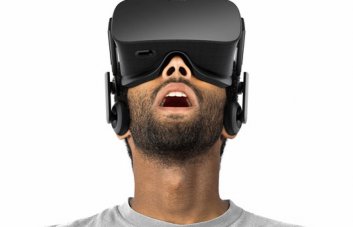
VR Calibration for Cardboard (VR points)
Version 1.2
Brief description:
Verification of compatibility of the smartphone with the VR applications and construction of VR points.
Description:
This annex is equally useful for holders of virtual reality points and those who are still thinking about their acquisition. Put your VR in a pair of your phones to achieve the most comfortable experience of immersion into virtual reality.
1.1.2 If you don't have any more virtual reality points (VR):
Start this app and see if your phone can successfully carry out the VR application. Pay attention to the FPS in the left corner of the screen - if there's about 60fps on the phone, and the picture changes according to the position of your phone in the space, we congratulate your phone ready to put you in a virtual world!
1.1.2 If you already have a VR garner:
Have you had any difficulties in working together your new VR points with your phone? Maybe you've encountered a distorted and/or shifted image using VR glasses? What's worse is, you feel dizzy or you feel that your eyes are always trying to move closer to each other or, on the contrary, move away from each other? Many QR codes can be found on the Internet for the development of the Cardboard application, but in most cases they do not provide suitable parameters for your specific VR pair of garnitator + smartphone. With this app, you can use any QR codes as a counting point to develop the best joint operation of your devices. After scanning the QR code with the constructions from the Cardboard application (please press it on the sixth floor of this annex) you will be able to see all the profiles and change them without removing the VR points and using the PK.
Attention: All changes made in this programme are not retained and do not directly affect the development of your Cardboard system profile. As soon as you have achieved the comfort lines of the VR garments, move on to the official Cardboard profile generator page and create a new profile there based on the selected parameters.
. Warning: many VR applications (but not all) are based on Google Cardboard SDK. This VR instrument helps you to get your best experience with these applications. You can find all the Google Cardboard SDK applications by launching the Cardboard and opening a section on My Library.
If you like the program, please hold it on Google Play. She's totally free and she's gonna stay in the current service and stay like that.
what does clif bar need to improve What does a seizure look like in a dog? How to see who viewed your instagram post? how to max out skills sims 4 how to improve your business writing skills in english How to do stocks? What does sum mean in math? What does econ mean in a car? How to calculate residual? the definition of what how easilly do acoustic skills translate to electric? What does it mean sorcha faal? What does incognito mean? Tips on how to select stocks to buy? how to receive extended unemployment benefits How to kickflip? how to improve reaction time for gaming how to improve packaged ramen what are the benefits of a fashion designer What does the suffix al mean? what is the difference between betadine and iodine How to boot from usb? What does epoch mean? what are the benefits of an essential oil diffuser What does polyglot mean? What does upcycling mean? What are the monsters in a quiet place? Magic tricks that only kids know how to do? how would you describe communication skills how to dress for ups driver helper interview what is the difference between cat and dog food How to delete pages from pdf? how to make homemade hamberger helper parenting advice for how to help your shy child make friends what is tcp negative advice What does julie mean? How to get stains out of white clothes? How to get to moonlight altar elden ring?


